
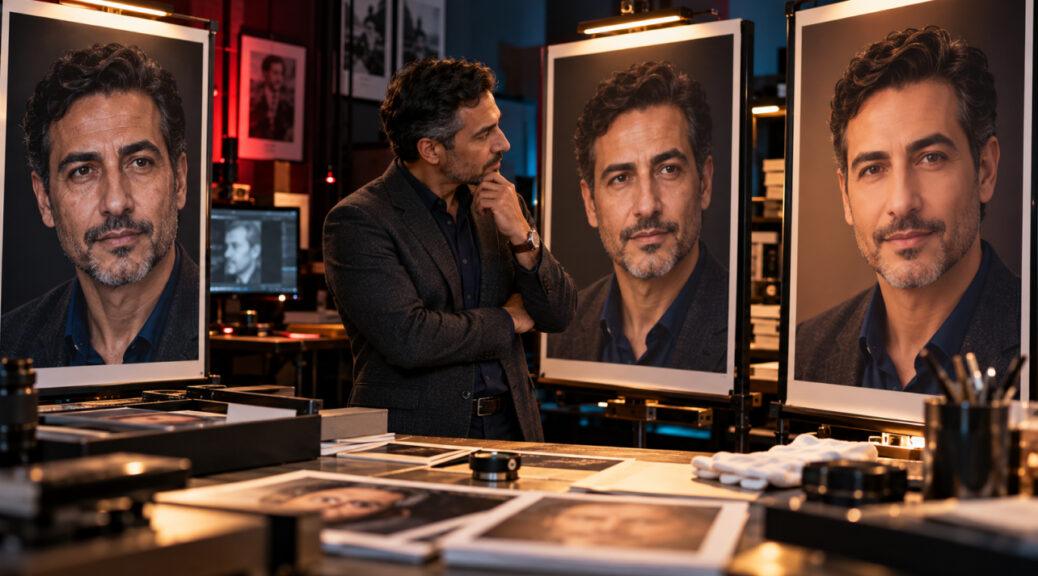
Professional headshot retouching used to involve a fairly familiar set of decisions: correct the exposure, balance the color, remove a temporary blemish, tame a stray hair and perhaps soften a distracting background.
On September 29, 2026, Adobe made that boundary much more interesting.
The September release of Adobe Lightroom 9.6 introduced Prompt to Edit, an early-access generative AI feature that allows photographers to describe complex edits in ordinary language. Adobe says the tool can handle restoration, retouching and transformation, with example prompts for jobs such as fixing dust and scratches, restoring color and unblurring photographs. Users can also write their own instructions. Adobe’s Lightroom release notes confirm the feature arrived in the September 2026 desktop release.
That makes a question that has existed since portrait retouching began much harder to ignore: When does improving a professional headshot turn into changing the person?
There is no useful universal percentage of retouching that answers that question. A 5% adjustment to facial shape could be more misleading than extensive work removing lint, sensor dust and a temporary skin blemish.
For professional headshots, a more practical boundary is recognizability.
The finished photograph can look polished, intentional and flattering. But when a recruiter, client or colleague eventually meets the person, the image should still make immediate sense.
Lightroom 9.6 Changes How Easy Transformation Can Be
The significance of Lightroom’s new feature is not simply that artificial intelligence can edit photographs. AI-assisted image editing has existed for years.
What has changed is accessibility.
Adobe’s current Prompt to Edit guidance describes the feature as an early-access tool in Lightroom desktop. Instead of constructing a complex series of masks and manual adjustments, a photographer can choose an example prompt or type instructions describing the desired edit. Adobe’s current interface lists Nano Banana 2 output options at 2K and 4K resolution. The generated result is saved as a DNG, and users can place the edited version and original together in a stack when working in the cloud.
That workflow can be extremely useful.
A complicated restoration that previously required considerable technical work can become faster. Photographers can address distracting image problems without moving through multiple applications. People who understand photography but have less advanced retouching experience gain access to tools that previously demanded more specialized skills.
But lower technical friction also lowers the friction for transformation.
If changing an image requires a difficult hour of detailed manual work, the photographer has many opportunities to ask whether the change is necessary. When an instruction can be described conversationally and generated quickly, it becomes easier to keep going.
The important question shifts from “Can I make this change?” to “Should this change be part of this particular photograph?”
For a fantasy portrait or creative campaign, extensive transformation may be the entire purpose. A professional headshot has a different job.
It represents a real person.
Retouching Is Not Automatically Inauthentic
The answer is not to eliminate retouching.
Professional photography has always involved interpretation. Camera choice, focal length, distance, lighting, exposure, background, makeup, clothing, pose and expression all affect the final image before editing begins.
Post-production continues that process.
Correcting a color cast created by mixed lighting does not invent a new identity. Neither does removing a sensor spot floating beside someone’s head. Adjusting exposure so a face is properly reproduced can make the image more accurate rather than less accurate.
Temporary details deserve similar context.
If someone wakes up with a blemish that was not present the week before and will probably disappear shortly afterward, removing it from a headshot intended to represent that person for several years is different from erasing permanent characteristics of the face.
The distinction is not simply edited versus unedited.
It is correction versus transformation.
That same principle fits the broader professional-image approach discussed in Finest Image’s first impressions and career guide: presentation can influence an introduction, but appearance is only one part of what another person eventually learns about you.
A Practical Retouching Boundary
Professional photographers and clients need a more useful framework than “never edit” or “make me look better.”
The degree of authenticity risk depends on what is being changed, how much it is being changed and whether the resulting photograph still represents the person viewers will eventually encounter.
| Retouching Choice | Typical Authenticity Risk | Practical Question |
|---|---|---|
| Exposure, white balance and contrast correction | Low | Does this reproduce the scene and skin tone more naturally? |
| Sensor dust, lint and temporary distractions | Low | Is the edit removing something incidental rather than changing the person? |
| Temporary blemish cleanup | Low to moderate | Would this feature normally be part of the person’s appearance? |
| Skin smoothing and under-eye work | Moderate | Is natural skin texture, age and facial structure still visible? |
| Teeth or eye brightening | Moderate | Does the result remain believable under ordinary lighting? |
| Hair reshaping or adding volume | Moderate to high | Is the photograph still showing the person’s real current appearance? |
| Removing permanent lines or age characteristics | High | Is the edit changing apparent age rather than photographic presentation? |
| Changing jaw, nose, eyes or facial proportions | High | Would someone meeting the person notice the difference? |
| Generating different clothing or major facial details | High | Is the image documenting a real professional presentation or inventing one? |
These categories are not formal industry regulations. They are a practical way to think about the purpose of a professional portrait.
The most useful test is still recognizability.
Recruiters Put Recognizability Ahead of Perfection
That point became particularly timely two days after Adobe’s Lightroom release.
On October 1, 2026, Associated Press business writer Dee-Ann Durbin reported on professional headshots and AI-generated alternatives, speaking with Houston headshot photographer Chris Gillett and Emily Lauro, an area director at New Hampshire-based Goodwin Recruiting.
Gillett’s advice was straightforward: make sure the photograph still looks like you. A noticeable gap between someone’s current appearance and headshot can weaken trust.
Lauro applied the same standard to heavy editing, saying a professional image should resemble the person on their best professional day rather than present a completely different individual. The Associated Press headshot report also notes that AI-generated headshots can appear overly edited or unrealistic, potentially distracting employers from the candidate’s actual experience and qualifications.
That gives professional retouching a useful real-world test.
Imagine that the person in the photograph walks into a meeting five minutes after someone has viewed the headshot.
Would the viewer think, “That’s the person I was expecting”?
Or would the first reaction be surprise at the difference?
The second response is a warning that retouching may have crossed from presentation into reconstruction.
Skin Texture Is Not a Technical Error
Skin is often where excessive retouching becomes most visible.
Digital editing makes it possible to reduce texture until pores, fine lines and normal variations in tone nearly disappear. The result can initially appear “clean,” particularly on a large editing monitor.
But skin without texture rarely looks natural.
There is an important distinction between controlling distracting photographic effects and removing the physical evidence that someone has skin.
Strong lighting can emphasize texture more than it appears during ordinary conversation. Correcting that exaggeration can be reasonable. Temporary redness or a blemish can also draw disproportionate attention in a still image.
Permanent facial characteristics require more caution.
Lines around the eyes, freckles, natural under-eye structure and other features contribute to recognizability. They can also communicate age, and age is not an editing defect.
The objective of professional retouching should not automatically be to make a 52-year-old look 37.
A useful approach is to reduce distractions while preserving structure. If viewers notice smooth skin before they notice the person’s expression, the retouching itself may have become a distraction.
Facial Shape Is a Much Stronger Boundary
Changing facial geometry presents a different problem from correcting skin.
Adjusting the brightness of a forehead does not change where that forehead exists. Narrowing a jaw, changing eye size, reducing the nose or altering cheek structure can.
Those changes directly affect identity cues.
That is where prompt-based generative editing deserves particular attention. Adobe says Prompt to Edit can perform not only retouching but also transformations, and custom prompts allow users to define complex changes that would otherwise require additional tools or extensive manual work.
The technology itself does not decide whether a transformation is appropriate for a professional headshot.
Context does.
Changing facial proportions might be perfectly appropriate in a conceptual artwork. It is much harder to justify in a photograph whose function is to introduce a real professional to clients, employers or colleagues.
LinkedIn provides a useful platform-level reference point. Its current profile photo guidelines say that a profile photograph can even be an illustration, caricature or artistic rendering, but it must still reflect the member’s likeness.
That is a remarkably flexible standard—and still one that depends on recognizability.
AI Can Change More Than the Face
The authenticity issue is not limited to wrinkles, skin and facial proportions.
Generative tools can also change the context surrounding a person.
On September 10, 2026, Adobe published a Lightroom tutorial featuring photographer and Adobe Stock contributor Glyn Dewis. In the demonstration, Dewis sends a wedding photograph from Lightroom to Firefly, uses a text prompt to remove another person and strong lens flare, and has the background reconstructed around the remaining subjects.
Importantly, his prompt explicitly instructs the system not to change the pose, facial features or clothing of the two women who remain in the photograph. Adobe’s generative portrait tutorial therefore demonstrates both sides of generative editing: substantial contextual change and deliberate instructions intended to preserve the subjects themselves.
That distinction is useful for headshots.
Suppose an excellent expression was captured while an unwanted light stand appeared at the edge of the frame. Removing the stand probably does not alter the professional identity being presented.
Replacing the entire office background with a luxury corporate suite that the person has never occupied raises a different question.
So does generating a suit the person does not own, changing a hairstyle substantially, adding accessories or altering environmental details that imply a professional context that never existed.
The face may remain recognizable while the story of the photograph becomes artificial.
Authenticity therefore applies to context as well as appearance.
AI Headshots Raise the Same Question at a Larger Scale
Generative headshots make this distinction even more obvious.
The October AP report compared conventional professional photography with AI alternatives. It noted that HeadshotPro was offering 30 AI-generated headshots for $29, while Gillett’s cited pricing was $290 for a sitting plus $295 for each selected headshot. Those are specific examples rather than industry-wide averages, but they illustrate why generative portraits are attractive to people looking for speed and lower cost.
The affordability question is legitimate.
The authenticity question remains.
A generated image can look photorealistic while changing small details across hair, teeth, skin, clothing and facial structure. No individual difference has to be dramatic for the cumulative result to feel unlike the person.
That is why the best standard is not “Does this look like a real photograph?”
Modern generative imagery can satisfy that test.
Ask instead: Does this look like the real person?
Those are no longer the same question.
A Headshot Should Not Try to Prove Competence
There is another reason to resist excessive retouching: the photograph is being asked to do too much.
A headshot can help someone appear polished, current and recognizable. It can establish a visual tone before a meeting.
It cannot prove that the person is competent.
A major 2026 workplace study helps put appearance in perspective. Junhui Yang, Brian W. Swider, Bingjie Lu, Kaidi Wang and T. Brad Harris published a meta-analysis in Personnel Psychology on August 3 examining 204 independent samples from 145 studies.
The researchers found that appearance cues were associated with first impressions, but communication cues showed a stronger and more consistent relationship. The corrected mean association with general first impressions was 0.31 for appearance cues and 0.52 for communication cues. The workplace first-impression meta-analysis also stresses that first impressions can remain associated with later workplace outcomes while becoming less influential as additional information accumulates.
That should change the objective of headshot retouching.
You do not need to digitally engineer a face that supposedly “looks more competent.”
A professional photograph needs to introduce you. Your conversation, work, experience and behavior have to carry the relationship from there.
Transparency Becomes More Valuable as Editing Becomes Easier
As image transformation becomes easier, provenance can become more useful.
Adobe already provides Content Credentials within Lightroom. These are secure metadata based on the C2PA open standard that can provide information about who created a file and how it was created or edited.
In Lightroom, creators can choose to include information such as a verified name, connected accounts and an overview of edits. Credentials can be attached to the exported file, published to the Content Credentials cloud or both. Adobe also allows users not to include them, so they should not be described as an automatic disclosure system for every Lightroom edit. Adobe’s Content Credentials documentation explains the available export choices and editing-history options.
For an ordinary professional headshot, publishing a technical history of every exposure adjustment may be unnecessary.
But the broader idea matters.
The easier it becomes to make substantial invisible changes, the more valuable clear expectations between photographer and client become.
A photographer might establish in advance whether permanent facial features will be altered, whether backgrounds can be generated, whether clothing may be changed and whether generative AI will be used.
That conversation is more useful than assuming everyone shares the same definition of “retouching.”
The Client Should Know What “Retouched” Means
The word itself has become too broad.
To one photographer, a “fully retouched headshot” might mean color correction, blemish cleanup, flyaway-hair removal and careful skin work.
To another, it might include facial reshaping and generated clothing.
A client cannot meaningfully approve a process when the terminology is ambiguous.
Before a professional headshot is finalized, photographer and subject can agree on a few simple boundaries:
- Temporary or permanent? Temporary distractions can generally justify more correction than permanent identifying characteristics.
- Photographic problem or physical feature? Correcting glare is different from changing eye shape.
- Recognizable in person? Imagine the client arriving at a meeting immediately after someone viewed the photograph.
- Real context or invented context? Consider whether generated clothing, offices or backgrounds imply something untrue.
- Would disclosure change how the image is perceived? If someone would feel misled after learning what was altered, the edit deserves another look.
None of those questions requires banning AI.
They require deciding what the image is supposed to represent.
The Best Retouching Supports the Person Instead of Replacing Them
Lightroom 9.6 does not suddenly make professional headshot retouching unethical.
It makes the old boundaries easier to cross.
Prompt-based editing can save photographers considerable time, repair genuine photographic problems and make sophisticated techniques more accessible. Adobe’s ability to preserve generated edits beside the original also gives photographers a straightforward way to compare what changed.
But greater capability makes intent more important.
Exposure can be corrected. Temporary blemishes can be handled. Distracting hairs can be controlled. Background problems can be cleaned up. None of those choices automatically makes a headshot dishonest.
The danger begins when every normal human characteristic becomes something to “fix.”
Skin texture becomes a defect. Age becomes a defect. Facial asymmetry becomes a defect. The actual office becomes insufficient. The real clothing becomes insufficient. Eventually, the software is no longer refining a photograph of the person—it is designing a more convenient substitute.
The October AP reporting offers the most practical standard: the headshot should still resemble the person someone will meet.
That is also a useful answer to the question of how much retouching is too much.
Retouch until distractions stop competing with the person. Stop before the person becomes the thing being replaced.