
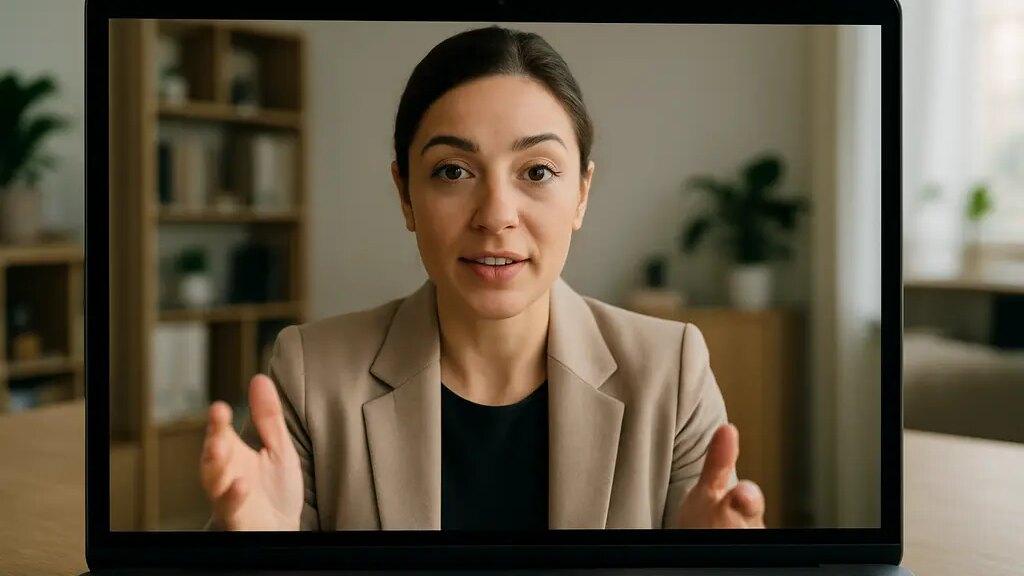
Virtual interview body language begins before you answer the first question. The camera angle, lighting, clothing, posture, and your sense of eye contact all shape the professional image the interviewer receives. None of these details can replace experience, skills, or honest answers. They simply help your qualifications arrive with less visual friction.
As a personal styling advisor, I look at virtual interviews as a brand moment. Your attire says how you understand the setting. Your posture says whether you are present. Your gaze says whether you are trying to connect. In a video call, those signals are compressed into a small rectangle, so small habits can carry more weight than they would across a conference table.
Why Virtual Interview Body Language Carries Extra Weight
The Screen Reduces Some Human Cues
A face-to-face interview gives people more information: full-body posture, natural movement, informal timing, and shared room energy. Video removes or limits many of those cues. A January 2026 meta-analysis of 24 studies and 31 sample groups found that applicants in technology-mediated interviews reported lower organizational attractiveness and behavioral intentions than those in face-to-face interviews, partly because video formats reduce nonverbal visibility Springer Nature study.
That finding is useful for candidates because it shows why your setup matters. If a virtual format gives the interviewer fewer cues, you have to make the remaining cues clearer. That does not mean acting larger than life. It means removing distractions so your expression, voice, and answers can be received accurately.
Virtual Interview Body Language Starts With Gaze
Eye contact is not exactly the same on video as it is in person. If you look at the interviewer’s face on your screen, your eyes may appear slightly lowered or off-center to the interviewer. If you look at the camera, the interviewer may experience that as more direct attention, even though you are not looking at their face.
A practical solution is to alternate with intention. Look at the screen while listening so you can read facial expression. When answering a key point, look toward the camera for short stretches, especially at the start and end of your answer. This makes virtual interview body language feel more connected without forcing an unnatural stare.
A mock residency applicant study from the 2022-23 cycle found that 60% of faculty respondents said audio quality, 57% said eye contact, and 49% said internet connectivity significantly influenced impression ratings PMC study. The lesson is direct: your body language is judged alongside the technology that carries it.
Dress And Posture Work Together On Camera
Choose Clothing That Supports Stillness
Interview clothing should help you sit, breathe, and gesture naturally. A jacket that pulls across the shoulders may make you look stiff. A collar that shifts every time you move can invite constant adjusting. A shiny fabric may catch light in a distracting way. These issues are not about fashion rules. They are about whether your clothing lets your face, voice, and hands stay calm on camera.
For most professional virtual interviews, choose a top layer with a clear shoulder line, a neckline that stays in place, and color contrast against your background. Mid-tone blues, greens, charcoal, cream, or soft earth tones often read clearly on camera, though the best choice depends on your coloring, lighting, and industry context. If you want more detailed clothing direction for remote hiring conversations, this related guide to virtual interview attire covers camera presence and company norms.
Posture Should Signal Readiness, Not Tension
Sitting upright helps, but rigid posture can look anxious. Aim for a grounded position: feet on the floor, hips set back in the chair, shoulders relaxed, and sternum lifted slightly. Your head should sit over your spine rather than drifting toward the laptop. If you lean in, do it briefly to show interest, then return to a neutral position.
Camera height affects posture. If the laptop is too low, you may hunch forward and look down. Raising the camera closer to eye level supports a more open neck and steadier gaze. Place the camera far enough away that your upper chest and hands can appear when you gesture. A tight face-only frame can make normal movement feel intense.
- Frame yourself from mid-chest or lower, with a little space above your head.
- Keep the camera close to eye level to reduce looking down.
- Use a chair that allows you to sit upright without gripping the desk.
- Test your outfit while seated, not only while standing.
Signals That Read As Prepared Rather Than Performed

Use Hands As Punctuation
Hands can help your answers feel organized. Small, visible gestures can mark sequence, emphasis, or contrast. For example, lifting one hand slightly while naming a first point and the other while naming a second point helps the listener follow your structure. The goal is not to choreograph your movements. It is to let your hands support your thinking.
Keep your hands near the lower edge of the frame when possible. If they disappear under the desk, you may start fidgeting without noticing. If they move too close to the camera, they can dominate the frame. Calm hands make virtual interview body language easier to read.
Control The Habits That Signal Distraction
Common video-call habits can work against you: checking your own image, looking at notes too often, touching your face, swiveling in the chair, or glancing at another screen. These behaviors may have innocent causes, but an interviewer may read them as nervousness, divided attention, or lack of preparation.
Before the interview, place notes near the camera rather than flat on the desk. Use short prompts, not full scripts. If you need to look away to gather your thoughts, pause and say, “Let me think about that for a moment.” A brief, named pause reads better than silent scanning.
Audio also affects body language. If your sound is muffled or delayed, you may overcompensate with facial expression or repeated nodding. Test your microphone, reduce background noise, and use headphones if they improve clarity. A calm face is easier to maintain when you trust the technology.
Virtual Interview Body Language For Your Professional Image
Align Your Visual Message With The Role
Your professional image should feel consistent with the role, organization, and level of responsibility. A client-facing leadership interview may call for a structured jacket and steadier posture. A creative role may allow more color or texture, but the body language still needs to show focus. A technical role may not require formal dress, yet a clean frame, clear sound, and attentive gaze still support credibility.
Use company cues carefully. Official employer pages, recruiter instructions, and interview format details are more reliable than guessing from social media. A related staffing resource such as Alliance Recruitment can also remind candidates that interview expectations vary by employer, region, and role type.
Keep The Image Ethical And Real
Strong presentation is not about pretending to be someone else. It is about reducing avoidable misreads. If you are naturally reserved, you do not need to become highly animated. Instead, use clear listening signals: a slight nod, relaxed facial attention, and concise verbal acknowledgments. If you speak with your hands, keep the gestures within the frame and let them settle between points.
Prepare by recording a one-minute answer to a common interview question. Watch it without sound first. Notice posture, gaze, hand movement, and facial tension. Then listen without looking. Notice pace, pauses, and clarity. This separates visual signals from verbal content and helps you adjust one habit at a time.
Virtual interview body language works best when it supports substance. Dress in a way that lets you sit comfortably. Place the camera so your gaze can connect. Keep gestures visible but contained. Let your face respond naturally while the interviewer speaks. These choices will not guarantee an offer, and they should not be treated as a substitute for preparation. They do help your professional image feel steady, respectful, and easier to trust through a screen.